

main) and scans the repositories it can see,
which is what fills the inventory side of Reporting → Scope.
App or Action?
GitHub App
Install once, covers every selected repository. PolicyCodex runs the evaluation.
Configuration lives in PolicyCodex. No API key needed — the App authenticates
as itself.
GitHub Action
Per-repository workflow file. Runs on your CI minutes, configuration in the repo,
works from any CI via the REST API. Needs an API key. See
GitHub Action.
Installing
You need two hats (or two people): an organisation admin on GitHub to install the App, and a domain owner in PolicyCodex to connect it.Each PolicyCodex org connects to exactly one GitHub organisation/account. If you
need to govern repositories in more than one GitHub org, create a separate PolicyCodex
org for each — there’s no “add another integration” step within a single PolicyCodex
org. The Connect GitHub… button on Settings → Integrations disappears once a GitHub
installation is connected; that’s expected, not a bug.
1
Install the App on your GitHub organisation
From Settings → Integrations, click Connect GitHub… — it opens the App’s
installation page on GitHub. Choose the organisation, then select All
repositories or a specific set. The repositories you select here are exactly the
ones PolicyCodex can see and check.
2
Let the redirect connect the installation
After installing, GitHub redirects you back to PolicyCodex Settings with the
installation ID attached, and the connection is claimed automatically. You’ll see
the connected state with the GitHub account name.
Connecting is domain-owner-only, and one installation is linked per organisation.
If the redirect can’t reach you (for example a local development instance), paste
the Installation ID from GitHub’s confirmation page into the manual field
instead.
3
Scan the repositories
Go to Reporting → Scope and click Rescan repos. The inventory
fills with every repository the App can see, classified as covered or not.
4
Verify with a pull request
Open (or push to) any pull request in an installed repository. A PolicyCodex
check run appears on the PR — no workflow involved. A compliant change completes
green; violations of enforced
MUST statements fail the check, annotate the diff,
and post a findings comment in the conversation.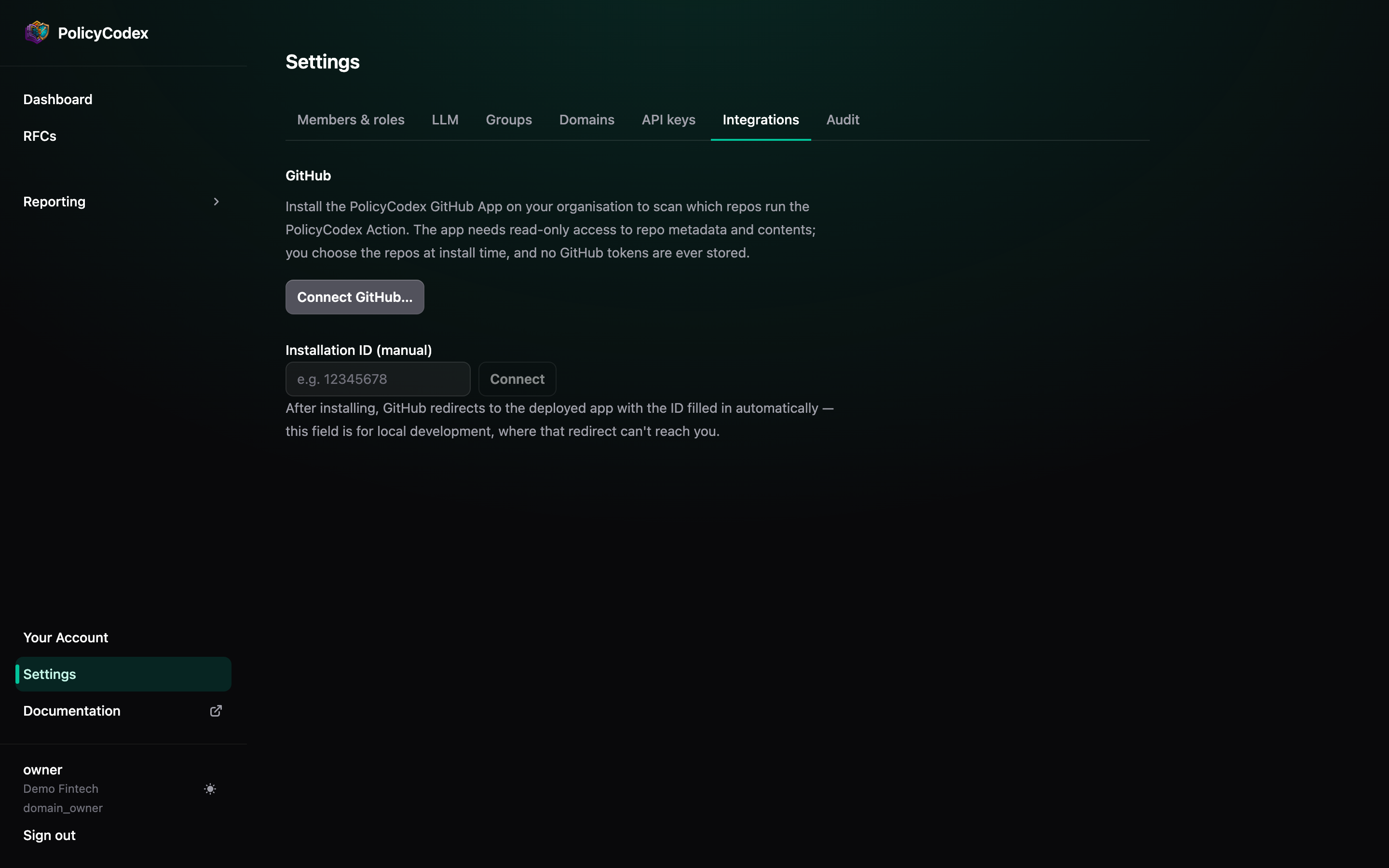
What the App is allowed to do
The permissions requested at install time, and why:No GitHub tokens are ever stored. PolicyCodex keeps only the installation ID —
which is useless without the App’s private key. Each evaluation mints a fresh
installation token that expires within the hour. Uninstalling the App from GitHub
disconnects the integration and removes the scanned inventory automatically.
What runs when
Pull requests
Opened, updated, or reopened (draft PRs are skipped): the diff and repository file
listing are evaluated against your enforced statements. Enforced
MUST violations
fail the check; SHOULD findings warn in the summary.Default-branch pushes
Every push to the default branch is checked the same way, and the verdict is
attached to the commit. On plans where the check can’t be made merge-blocking,
nothing lands unnoticed.
Blocking merges
The check fails on enforcedMUST violations, but whether a failing check prevents
merging is a GitHub setting: add PolicyCodex as a required status check in branch
protection (or a ruleset) on the repositories you want gated.
Troubleshooting
No PolicyCodex check appears on a PR
No PolicyCodex check appears on a PR
Check the App’s Recent Deliveries page (GitHub App settings → Advanced). No
deliveries at all: the webhook is inactive or the Pull request event isn’t
subscribed. Deliveries failing: the endpoint or secret is misconfigured. Deliveries
OK but no check: confirm the repository is in the installation’s selected set and
that the installation is connected in Settings → Integrations.
The check completes neutral: “could not evaluate”
The check completes neutral: “could not evaluate”
The evaluation errored — most often the organisation’s LLM configuration
(Settings → LLM) is missing, invalid, or the configured model is
returning malformed output. The check never fails silently: an infrastructure error
is always visible as neutral, not reported as a pass.
A permission update is pending
A permission update is pending
When the App’s permissions change, GitHub asks each installed organisation to
approve the update (organisation Settings → GitHub Apps). Until approved, features
needing the new permission — like the findings comment — log an error and skip.
Repositories are missing from the scan
Repositories are missing from the scan
The scan only sees the installation’s selected repositories. Add repositories from
the App’s page on GitHub (Configure → Repository access), then Rescan repos on
Reporting → Scope.