

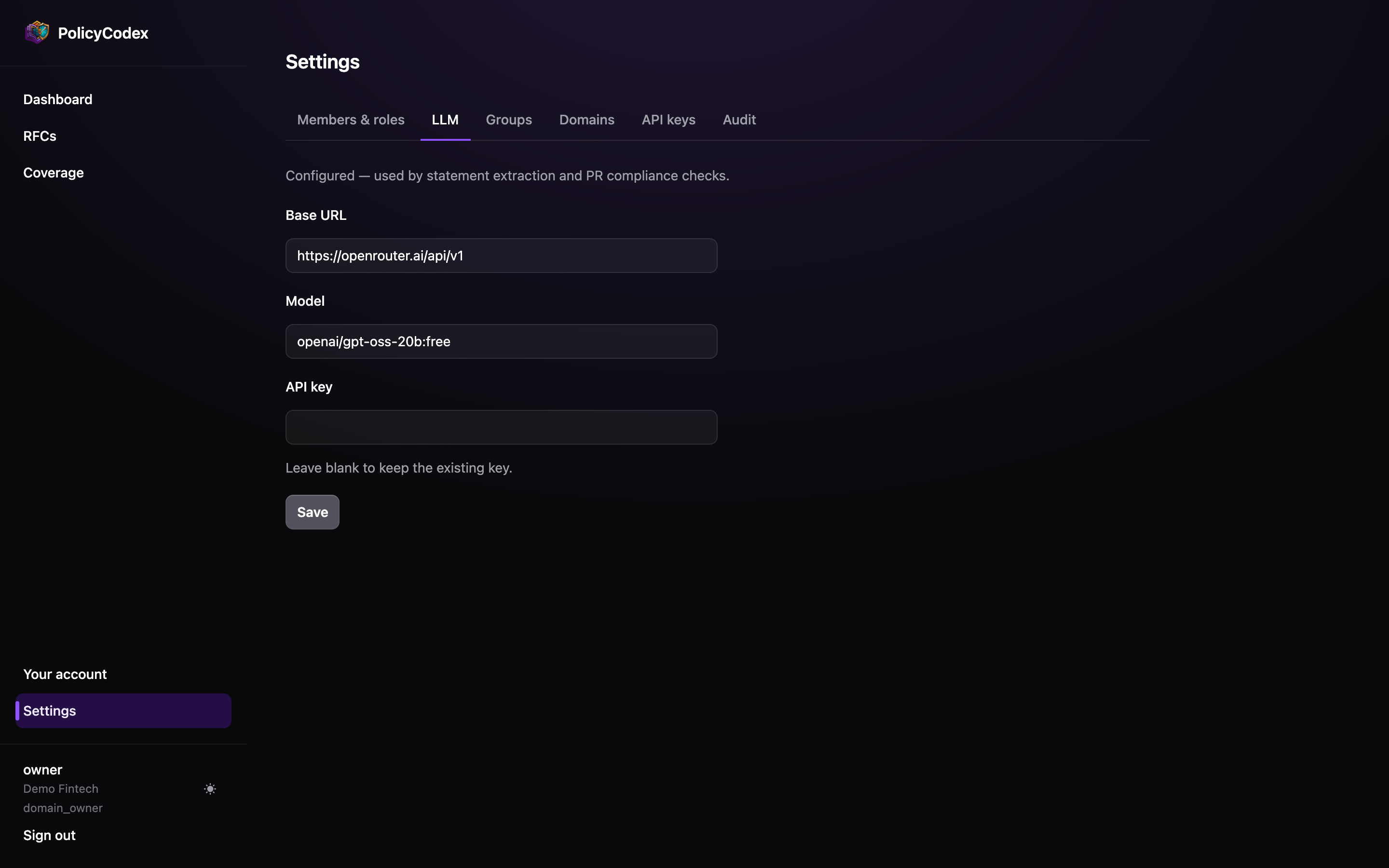
Fields
The banner above the fields tells you whether the organisation is currently configured.
Any OpenAI-compatible API works. PolicyCodex does not require a specific provider, and
the model is never hardcoded — it is always read from this configuration.
Where the configuration applies
These values are used everywhere on your organisation’s behalf: the web app’s extraction and import, the Edge Functions behind them, and the MCP worker that servescheck_compliance to agents and CI.
They take precedence per-field over the platform’s fallback configuration. Change the
model here, not in deployment secrets, unless you specifically intend to change the
fallback for organisations that have no configuration of their own.
Key handling
Only domain owners can view or change this tab.Choosing a model
Extraction and import
Structured rewriting of documents you then review. A mid-tier model is usually
sufficient — a human checks the output before anything is saved.
Compliance checks
Judgement against a diff, running unattended, with the power to block merges. Worth a
stronger model: a weak one produces false positives, and false positives are how a
standards programme loses its mandate.
Troubleshooting
Extraction produces no statements
Extraction produces no statements
Check the banner says configured. An unset or invalid key fails silently from the
RFC page’s perspective — the statements table simply stays empty.
Compliance checks return nothing
Compliance checks return nothing
The worker needs a reachable model too. If extraction works in the app but CI checks
come back empty, the worker’s fallback configuration is likely missing a model — set
the values here so your organisation’s configuration takes precedence.
Import invents requirements
Import invents requirements
A weaker model will embellish. Switch to a stronger one, and in the meantime read the
conversion output carefully — nothing is created until you save.