

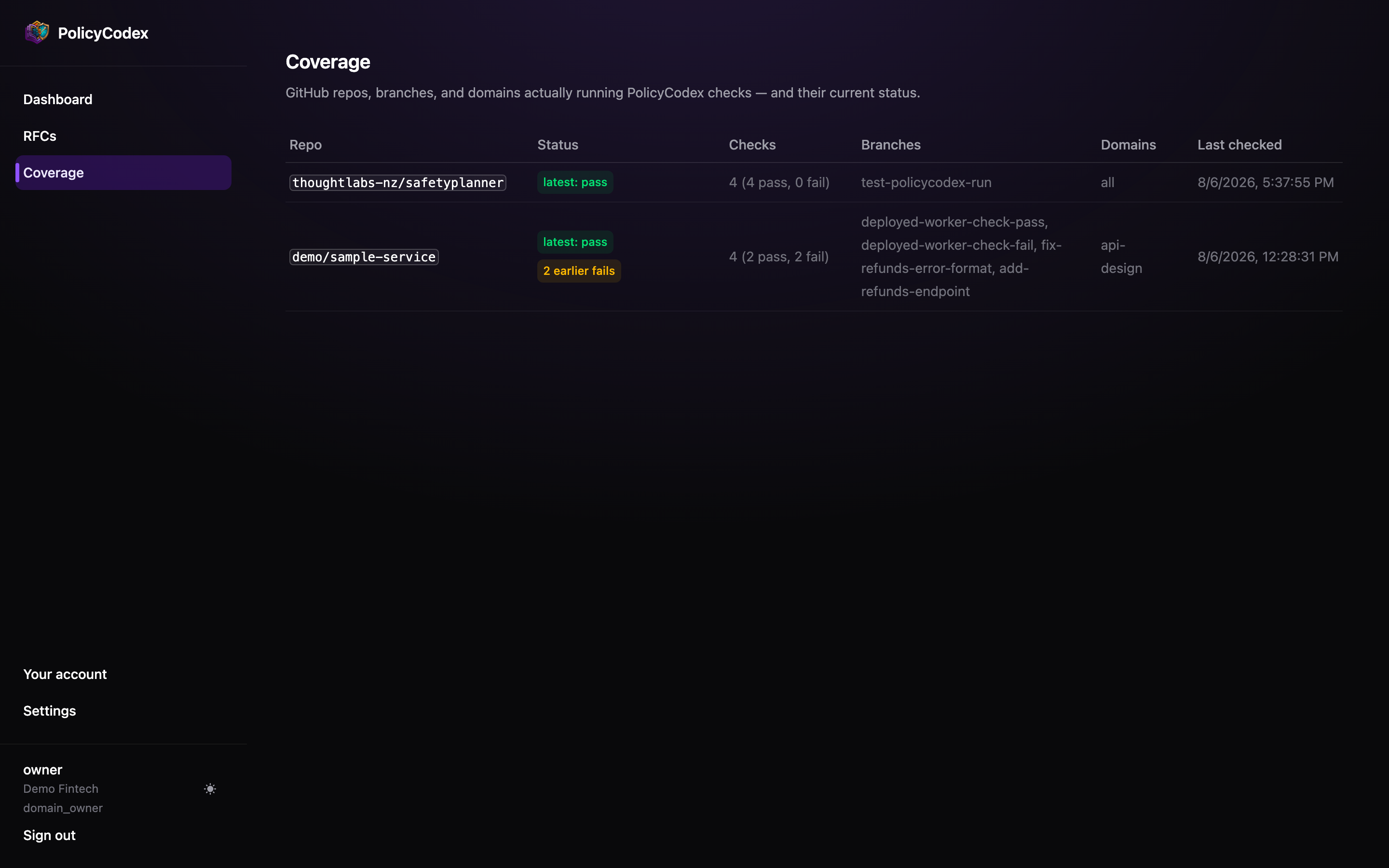
Reading a row
The status badge
The badge reads latest: pass or latest: fail — it names what it covers, rather than implying a repository is globally healthy.When the latest check passed but earlier ones failed, an amber “N earlier fails” badge
appears alongside. A green badge on a history full of failures would be misleading: it
tells you the last commit was clean, not that the repository has been.
What to look for
Repositories that aren't listed
Repositories that aren't listed
The most important gap on this page is the rows that aren’t there. Coverage can only
show repositories that have run the Action — cross-check against your actual
repository list.
A single branch
A single branch
A repository showing only one feature branch usually means the Action was trialled
once and never merged into the default workflow.
Stale timestamps
Stale timestamps
A last-checked date weeks old on an active repository means the workflow is failing
before the Action runs, or has been removed.
Narrow domain scoping
Narrow domain scoping
A repository scoped to one domain is only checked against that domain’s statements.
Deliberate scoping is fine; accidental scoping looks like compliance and isn’t.
Extending coverage
1
Add the Action
Follow GitHub Action to add the workflow to a
repository.
2
Run it on the default branch
A workflow that only exists on a feature branch reports once and then stops.
3
Scope deliberately
Omit the
domain input to check against every domain, or set it explicitly and record
why.4
Come back here
The repository appears after its first run. If it doesn’t, the Action isn’t reaching
the API — check the key and base URL.