

Assigning reviewers and approvers
The domain owner assigns a reviewer group and an approver group on the RFC page. Both are role groups — named sets of members, so a person leaving the team doesn’t strand a document.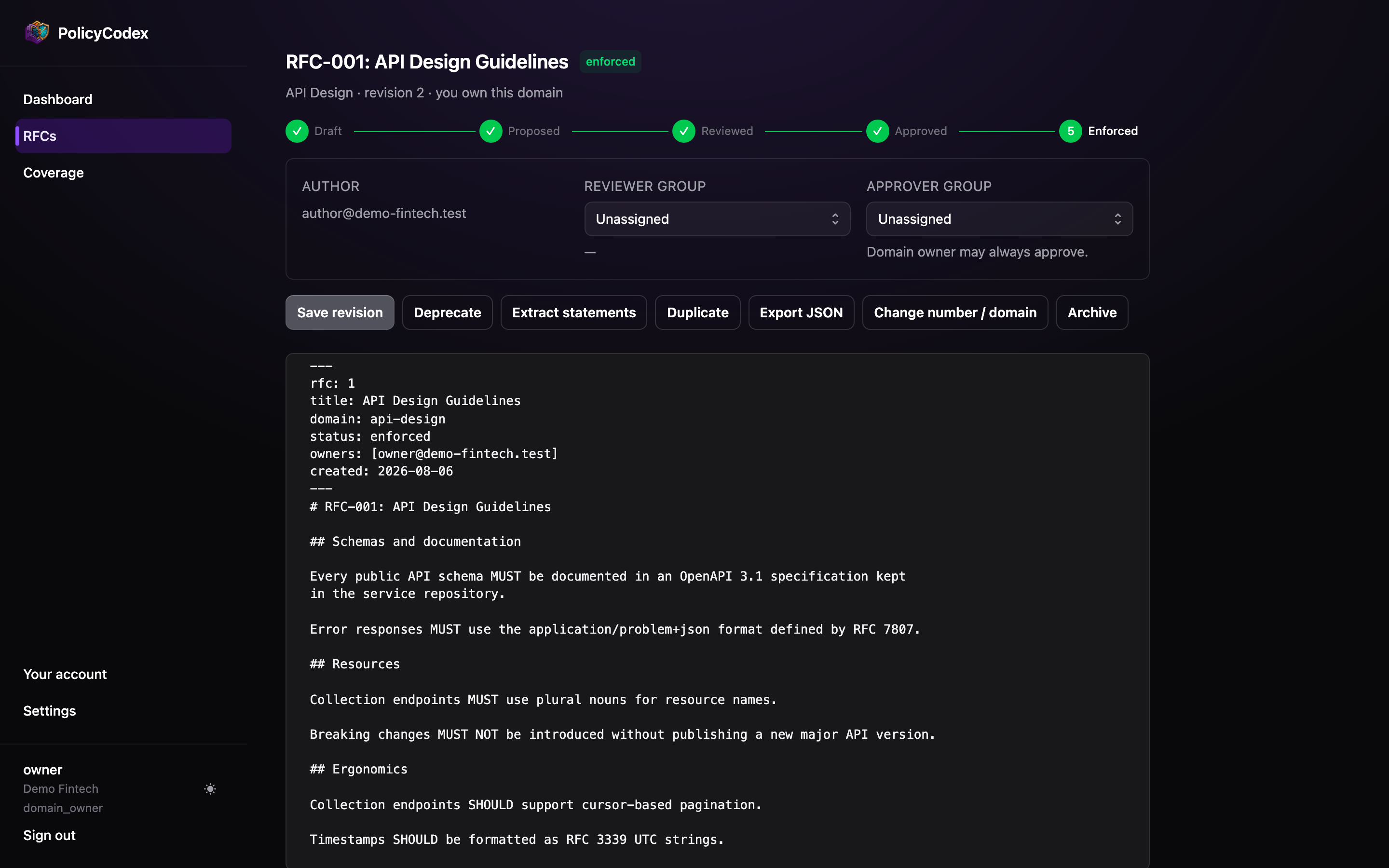
- Author — who created the RFC
- Reviewer group — who is expected to review, and once reviewed, who did it and when
- Approver group — who can approve. The domain owner may always approve regardless.
The review step
A member of the reviewer group opens the RFC and chooses Submit review. That recordsrfc.reviewed in the audit trail with their identity and the timestamp, and unlocks
approval.
Revising resets the review
Saving a new revision clears the review sign-off, and the RFC has to be reviewed again before it can be approved. The audit entry for the save recordsreview_invalidated, so the reset is visible in the trail rather than silent. The same
happens if the domain owner changes the reviewer group.
The review covers a specific text; changing the text means nobody has reviewed what is
now in front of the approver. Changing an RFC’s number or domain after creation is the
one exception — the content did not change, so the sign-off survives, though an approved
or enforced RFC drops back to proposed for re-approval.
Members with the viewer role can never review or approve, even if someone adds them
to a reviewer or approver group. Viewer is read-only throughout the app.
Review notes
Below the document body is an append-only notes thread.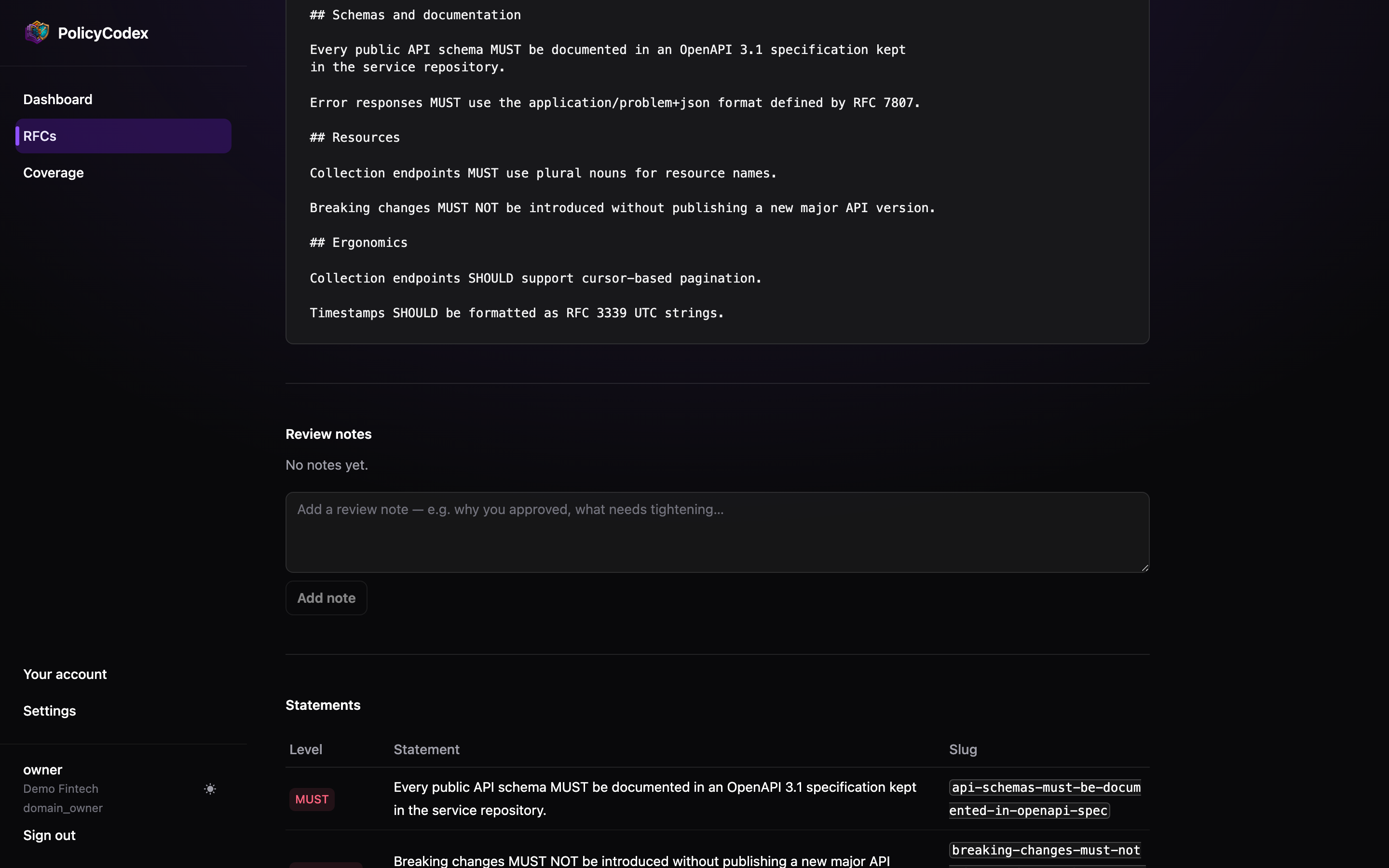
Approving
An approver — any non-viewer member of the approver group, or the domain owner — chooses Approve. Group membership is what grants the authority: an author who sits in the approver group for a given RFC may approve it, which is why groups are assigned per RFC. Two things happen immediately:Audit row
rfc.approved is appended with the approver’s identity, hash-chained to the previous
entry.Statement extraction
Statements are extracted from the approved revision and become visible to agents over
MCP. See Statements.
enforced is a separate act by the domain owner.
Practical advice
Keep groups small and real
Keep groups small and real
A reviewer group of twelve people is a group of nobody. Three or four named engineers
who actually work in the domain will produce better standards and faster turnaround.
Review the level, not just the prose
Review the level, not just the prose
The most consequential decision in an RFC is whether a requirement is
MUST or
SHOULD — that is the difference between a blocked merge and a comment. Review it
explicitly.Write the note even when it's obvious
Write the note even when it's obvious
“Approved — matches what the platform team already does, no migration needed” takes
ten seconds and saves an archaeology session next year.
Archive rather than delete
Archive rather than delete
Nothing is ever deleted. Archiving files an RFC away and freezes it — an archived RFC
cannot be reviewed, approved, promoted or revised until it is unarchived. To reuse its
content, duplicate it: the copy starts as a fresh draft with no groups and no sign-off.
Reject by leaving it proposed
Reject by leaving it proposed
There is no separate rejection state. Leave the RFC at
proposed, record what needs
changing in a review note, and let the author revise.